
FENRIR
An idle army is a wasted resource.
Fenrir sends every army out within the minute, has the next mine ready before the last one runs dry, and keeps your city running. While your rivals sleep, you grow.
See the panel up close
Everything on one screen: armies, marches, earnings and the log. The panel speaks 16 languages; here you see it in yours.
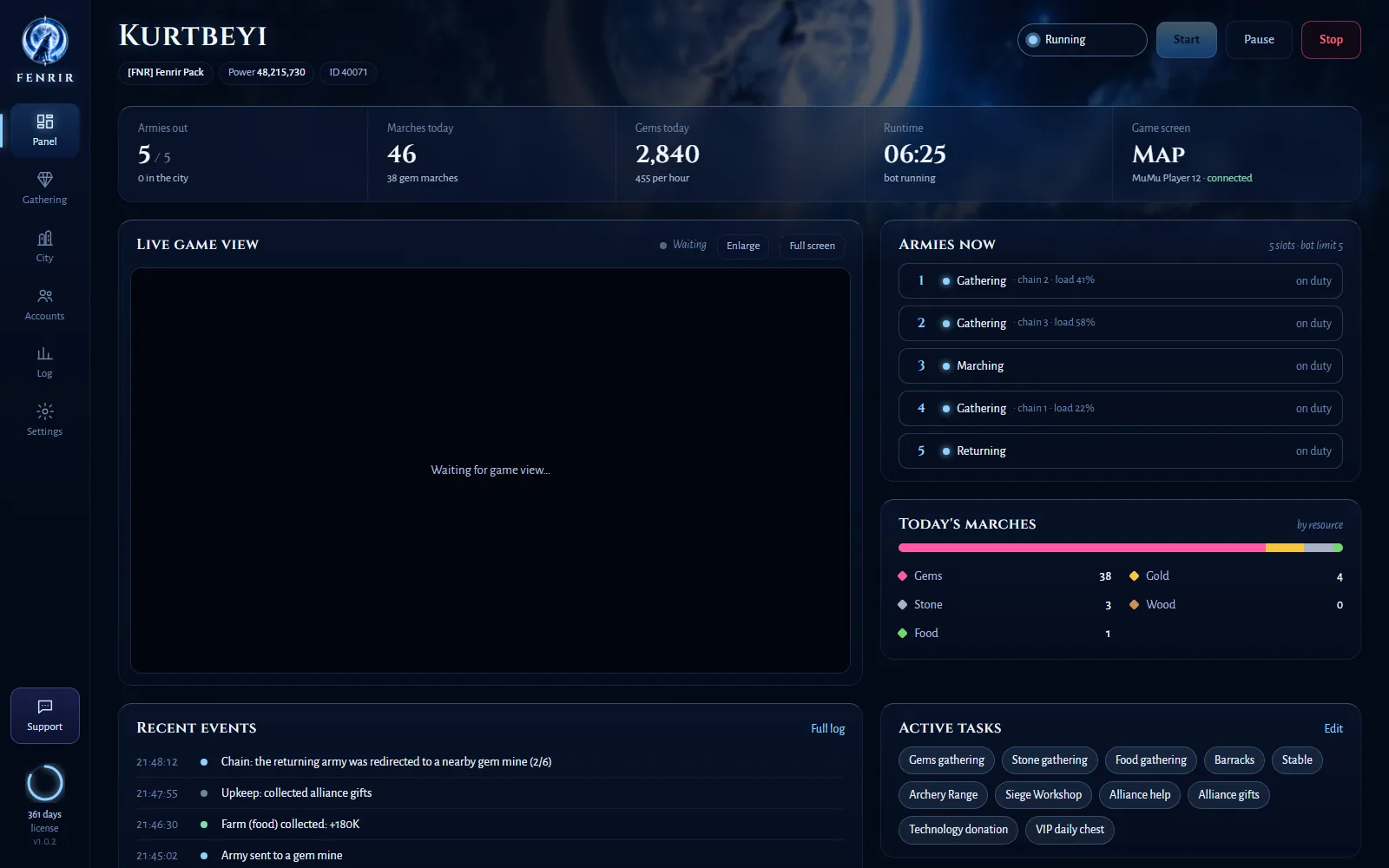
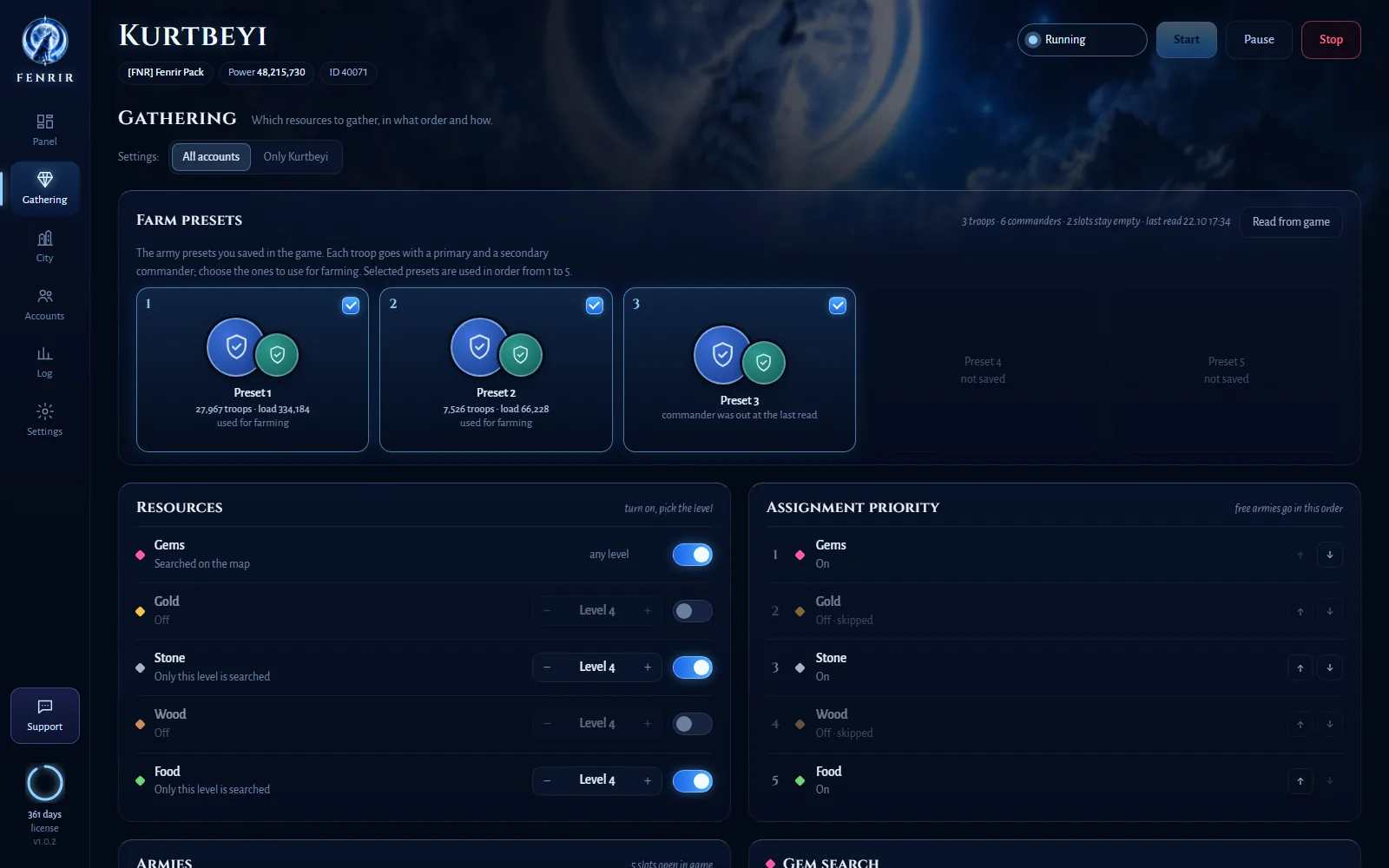
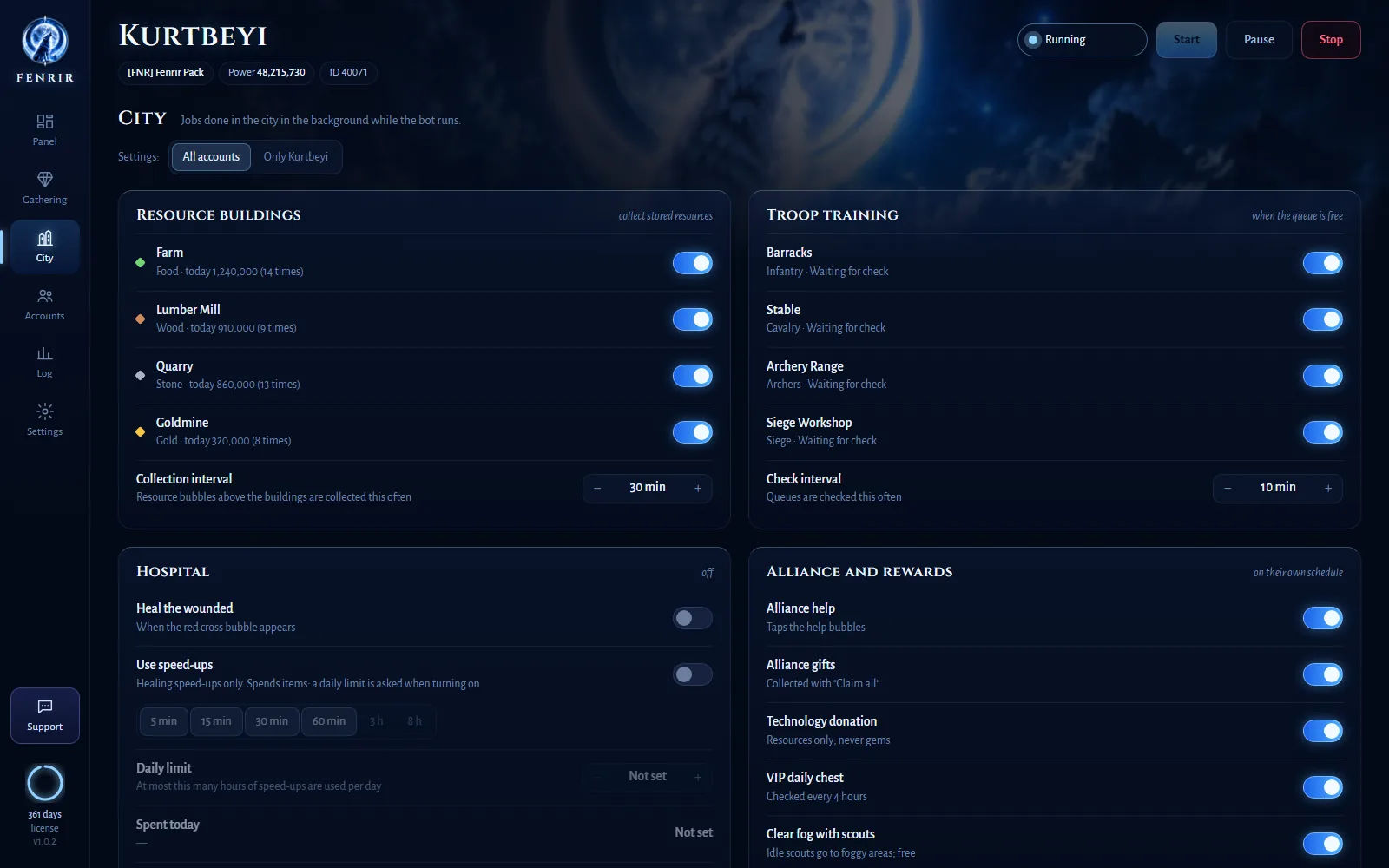
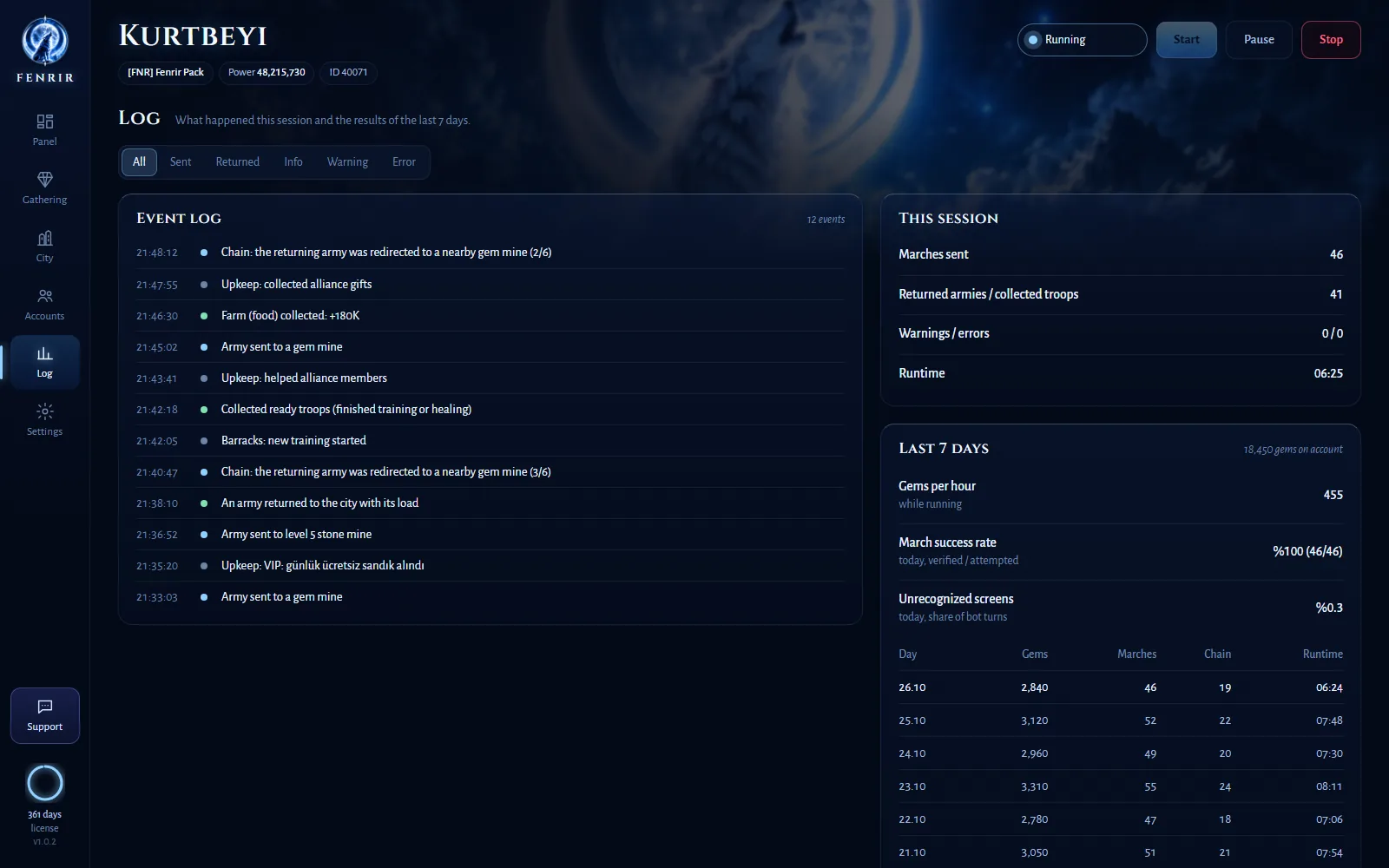
Screenshots use sample data; in real use the live game view streams inside the panel.
What it does
Fenrir sees the game the way you do: it looks at the screen and taps the emulator. It never touches game files or memory and never asks for your password.
Smart chain gathering
While an army gathers, Fenrir reserves the next nearby node and moves there the moment it's done. Five armies at once, in the search area you choose.
Gem mine hunter
Scans the map in rings and remembers every mine it finds, so it never wastes a trip on a full, depleted or unreachable one.
City chores
Collects resource buildings, trains troops, heals the wounded, helps and donates to your alliance, claims the VIP chest and sends scouts into the fog.
Multiple accounts
A separate bot for every emulator. It switches to whichever character's armies return first and confirms every switch by the in-game name.
Farm presets
Only the commanders and presets you pick go gathering; your war commanders stay home.
Live view
Watch your emulators live in the panel (1080p, up to 60 fps) and follow every step in the Log tab.
Phone notifications
Important events — stuck screens, verification prompts, a login from another device — reach your phone via Discord or Telegram.
All 18 game languages
Works whatever language your game is in. The panel speaks 16 languages.
Safety first
An automation tool has to know when to stop.
Never spends gems or money
It checks the screen before every tap and never presses a button with a price tag or a gem icon.
Stops at verification
It never tries to get past a verification (captcha) screen; it stops and lets you know.
Steps aside when you play
Touch the emulator and the bot pauses there; log in from another device and it leaves the account to you.
Your data stays home
While the bot runs, nothing about your game goes online (only a daily license check, plus phone alerts if you turn them on).
Start in three steps
Install
Download and install Fenrir. The system check verifies your emulator, resolution and game, and fixes what's missing in one click.
Choose
Pick the tasks, the search area and your farm presets in the panel. Every account can have its own settings.
Start
Press Start. Your PC stays awake while Fenrir runs, and after a power cut it picks up where it left off.